


Point-of-sale hardware is easy to underestimate. It’s the part of your tech your customers actually see, and the part your staff use hundreds of times a day. Pick well and nobody notices it. Pick poorly and you’ll hear about slow screens, jammed printers and scanners that won’t read a crumpled label for years.
This checklist walks through what matters for a store operating in the United States, piece by piece.
Start with your software and operating system
Hardware should follow software, not the other way around. Before you look at screens, confirm which operating system your POS software runs on. Windows and Android are the most common for retail terminals, and some devices are built for only one of them.
- Windows terminals suit stores running full desktop POS software or back-office tools at the counter.
- Android terminals and handhelds are often lighter and faster to boot, and work well for app-based POS and mobile checkout.
Check the processor, memory and storage against what your software vendor recommends, not just the minimum. Older, low-power processors can feel sluggish once the software grows.
Power and plugs
This is the step most often missed with imported hardware. U.S. outlets supply roughly 110–120 V AC and use NEMA 1-15 or 5-15 plugs. Before you buy, confirm that every device, or its power adapter, is rated for U.S. voltage and ships with a U.S. plug. Avoid relying on travel adapters at a checkout counter.
Certifications: ask, don’t assume
Electronic devices sold in the U.S. that emit radio frequency energy are subject to FCC equipment authorization rules. Many businesses also look for safety listings from a nationally recognized testing laboratory, such as UL or ETL marks, on power supplies and devices. Ask your supplier which certifications each device actually carries, and ask for documentation. If a datasheet doesn’t list it, don’t assume it’s there.
Payment devices are a separate category, covered below.
Terminals and screens
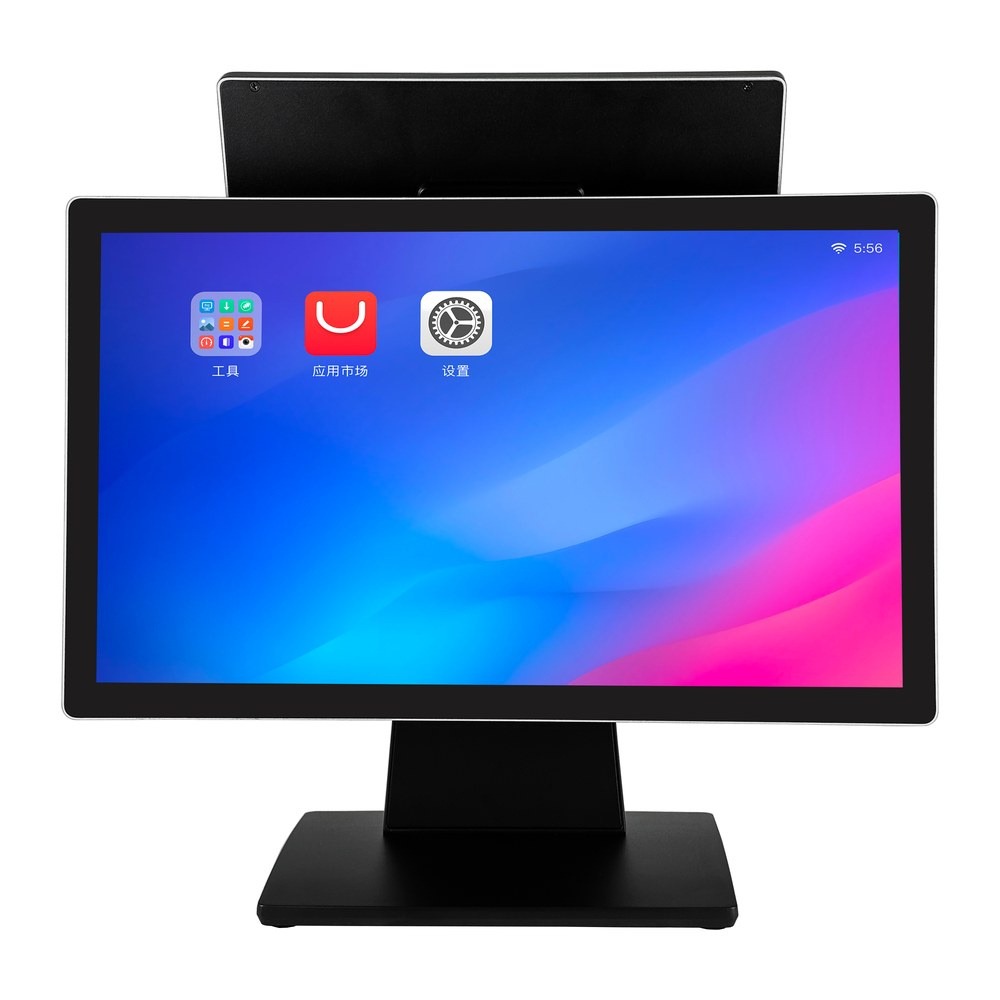
- Screen size: 15″ is a common counter size. Smaller screens fit tight counters, larger ones suit busy menus.
- Customer display: a second screen facing the customer shows items and totals as they’re scanned. It builds trust and cuts down on disputes at the counter.
- All-in-one vs. modular: all-in-ones are tidy. Modular setups let you replace one part without replacing everything.
- Ports: count the USB, serial and network ports you need for scanners, printers, drawers and scales, then add one spare.
Barcode scanners
Decide between 1D-only and 2D scanners. 2D scanners read both traditional barcodes and QR codes, including codes on phone screens, which is increasingly useful for coupons and loyalty. For high-volume lanes, consider a presentation or in-counter scanner so cashiers don’t have to pick items up. For aisles and stockrooms, handheld scanners or Android handheld computers are the better fit.
Receipt printers
Thermal receipt printers are the standard. Check paper width (80 mm is common), auto-cutter, connection type (USB, Ethernet or Bluetooth), and whether the printer can trigger the cash drawer. Network printers are useful when several stations share one printer, such as a kitchen or deli counter.
Cash drawers
Most drawers open on a signal from the receipt printer. Confirm the connection type matches your printer, count the bill and coin slots you need, and choose a size that fits under your counter.
Scales
If you sell by weight, such as produce, deli, bulk foods or candy, you’ll need a scale that works with your POS. In the U.S., scales used to sell by weight must meet legal-for-trade requirements (see NIST Handbook 44, which most states adopt), and states and localities inspect them. Ask your supplier for the scale’s approval documentation and check your state’s weights-and-measures rules before you buy.
Payment devices
Card readers are where the rules are strictest. A payment terminal needs to support EMV chip cards and contactless payments, and it should be certified with your payment processor. Security standards from the PCI Security Standards Council apply to how card data is handled. In practice, the safest route is to use a payment device your processor supports and certifies. Don’t plan around a reader whose certification you can’t confirm.
Kiosks and self-checkout
Self-order kiosks and self-checkout stations can take pressure off busy counters. Check whether the unit includes a built-in printer, scanner and payment device, how it’s mounted, and how staff will handle exceptions such as age-restricted items.
Plan for support
- What’s the warranty, and is it handled in the U.S.?
- Can you get spare parts and replacement units quickly?
- Who will set up the hardware with your software, and who do you call when something fails on a Saturday?
Think about the whole system
Hardware is only as good as the software that ties it together. Terminals that share products, prices and stock with your back office, and with electronic shelf labels if you use them, save more time than any spec sheet suggests.
AIR POS hardware
AIR offers a full line of AIR-branded POS hardware: Windows and Android terminals, all-in-ones, customer displays, kiosks, handhelds, scanners, printers, cash drawers and scales. Each listing shows the operating system clearly, and you can ask us for any model’s power and certification details before you order. Everything works with AIR ERP and AIR ESL.
Browse the AIR POS hardware catalog or talk to us about your counter setup.
